
Killhope opening postponed
Over the last three years major restoration works have been undertaken to protect the future of Killhope Lead Mining Museum.
Although these works have been completed successfully, unfortunately, we are unable to open the museum to visitors this May as planned.
A potentially serious safety issue with the historic reservoirs that serve Killhope water wheel has been identified. We have consulted with Historic England and the Health and Safety Executive (HSE) and explored all options available to us. It has been agreed that a full geotechnical survey must be undertaken to ascertain if further works are required to ensure the safety of people and historic structures on the site.
We have therefore made the decision to postpone Killhope’s reopening.
While we are disappointed not to be welcoming visitors back to the museum this year, we must prioritise the safety of both our visitors and our team.
This is a setback, but we are absolutely committed to preserving this historic site and sharing County Durham’s fascinating and internationally important lead mining heritage with people of all ages.
A great deal has been achieved over the last three years that will help ensure Killhope’s listed structures and scheduled monument continue to inspire and inform people for generations to come.
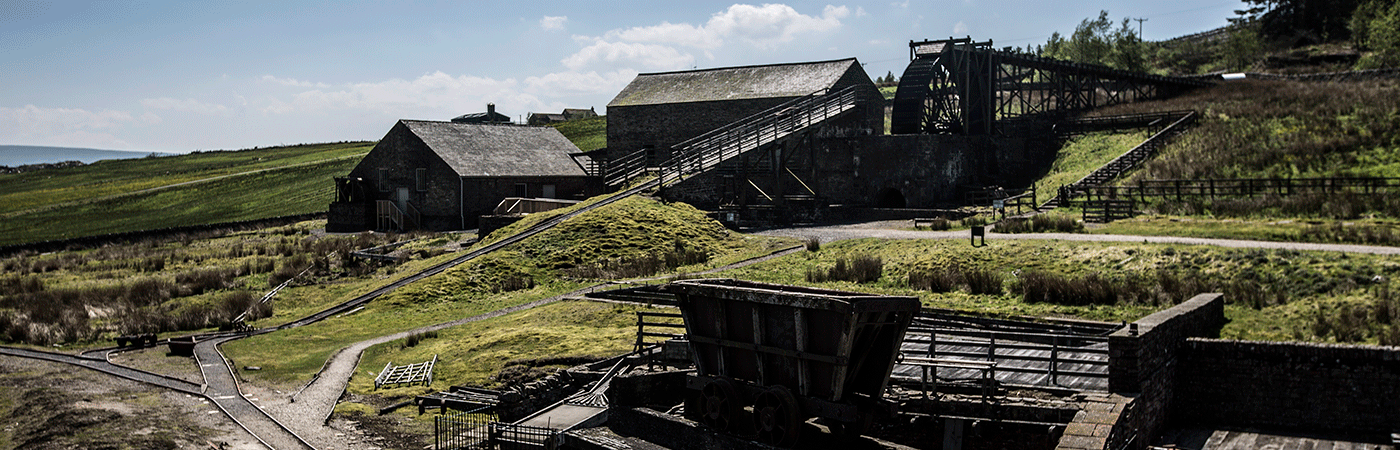
Thanks to funding from Arts Council England and investment from Durham County Council, £1.15 million has been invested to safeguard the underground mine, washing floor, mine shop, buddle house and jigger house. The site’s famous Armstrong wheel has also been restored, along with the mine cart ramp, launder and water race bridges.
These essential repairs have required a temporary closure of the venue. During this time the team has delivered outreach activities in the community, and we will extend these programmes while Killhope remains closed.
When Killhope reopens, it will be a fully working and moving museum offering interactive experiences that bring the past to life in one of the most beautiful parts of the country.
We promise you it will be worth the wait.
Keep to up to date on our Killhope Facebook page
tel: 03000 260 253